Your data.Ready as APIs.
Dataway embeds API editing, debugging, and publishing into your Java application. DataQL expresses data queries, transformations, and aggregation in scripts.
Embedded in your app · Visual development · Open source


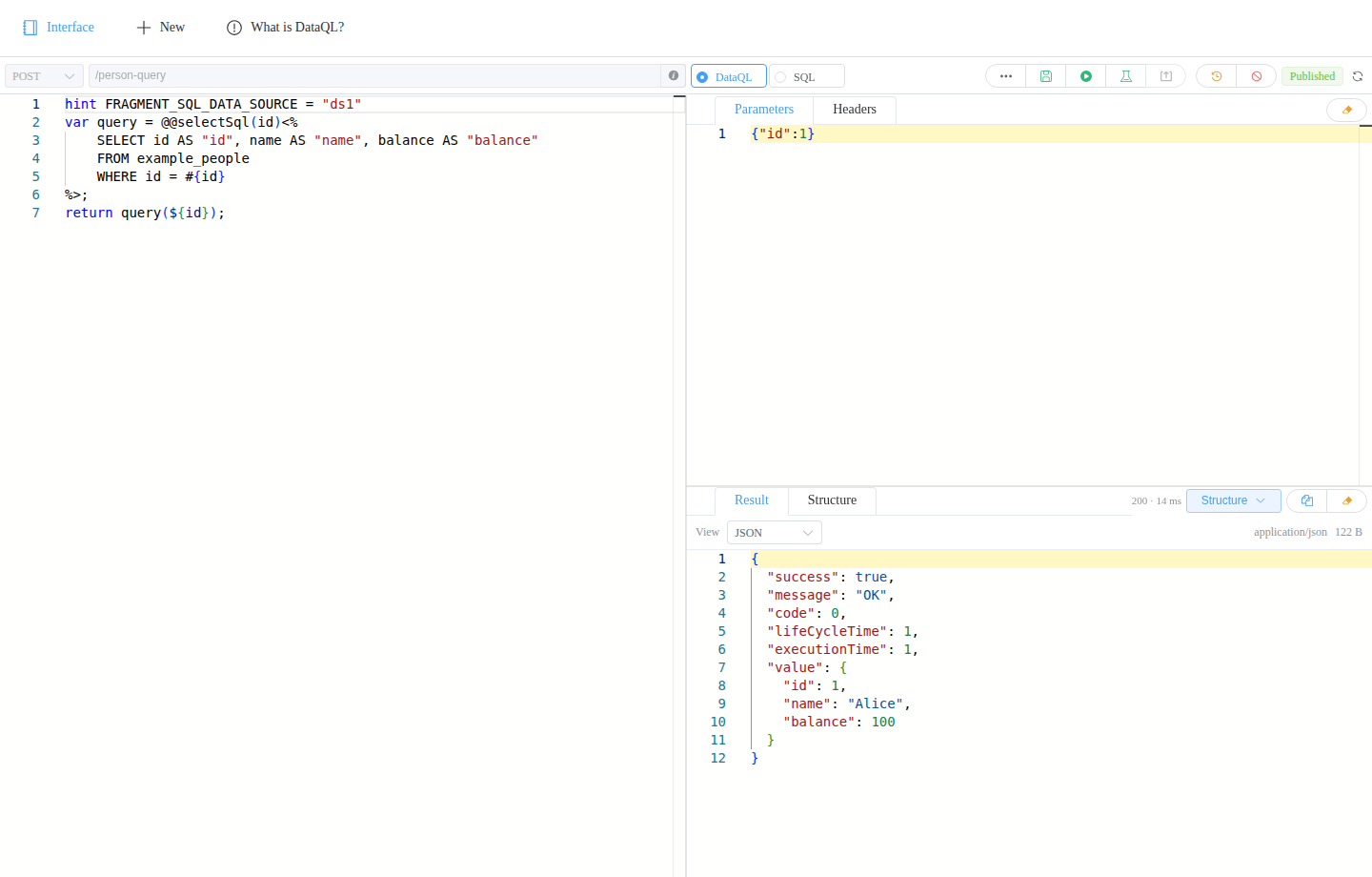
/api/person-query{"id": 1}hint FRAGMENT_SQL_DATA_SOURCE = "ds1"
var query = @@selectSql(id)<%
SELECT id AS "id", name AS "name", balance AS "balance"
FROM example_people
WHERE id = #{id}
%>;
return query(${id});
{"id": 1, "name": "Alice", "balance": 100}
01 / DATAWAY
An end-to-end workspace for your APIs.
Write a script, supply parameters, inspect the result, and publish an API. Draft changes take effect when you publish again.
- 01 Write & debug
- 02 Shape the response
- 03 Publish & manage
02 / DATAQL
Data in the shape you need.
Compose data with expressions, functions, and transformations. Develop APIs in Dataway or run the engine independently in Java.
- Transform
- Group
- Query SQL
var people = [
    {"name": "Alice", "age": 25},
    {"name": "Bob", "age": 30}
];

return people => [{
    "name",
    "nextAge": age + 1
}];
[
    {"name": "Alice", "nextAge": 26},
    {"name": "Bob", "nextAge": 31}
]
Select fields and compute new values in a single transformation.
Explore the syntax03 / IN YOUR APPLICATION
Built into your application.
Add an integration module to embed API development in Spring, Solon, or Hasor, using your existing data sources and services.
Choose your frameworkQuery multiple data sources
Access databases by name, compose queries in scripts, and integrate application transactions.
Identity · PermissionUse your existing identity system
Read identities from your login system and control access to APIs and console operations.
OpenAPI · SwaggerPublish standard API documents
Generate OpenAPI and Swagger documents for published APIs. Browse and call them with Swagger UI.
JSON · CSV · BinaryReturn the format you need
Return JSON, text, CSV, images, or binary files. Add your own result handlers for other formats.
START BUILDING
Your first API starts here.
Publish a SQL API with the Spring example, or begin with a DataQL script.